It's the last week of the month. You're staring at a pile of crumpled receipts — lunch with a client, a Grab ride to a meeting, parking at Paradigm Mall, office supplies from Mr. DIY. You know what comes next: open Excel, squint at each receipt, and type in every detail. Merchant name. Date. Amount. SST number. Payment method.
For most Malaysian employees, this monthly ritual takes 30 minutes to an hour. Multiply that across your team, and your company is burning dozens of hours every month on something that adds zero value to the business.
We built a tool to fix this.
Introducing OptiLab Receipt Scanner
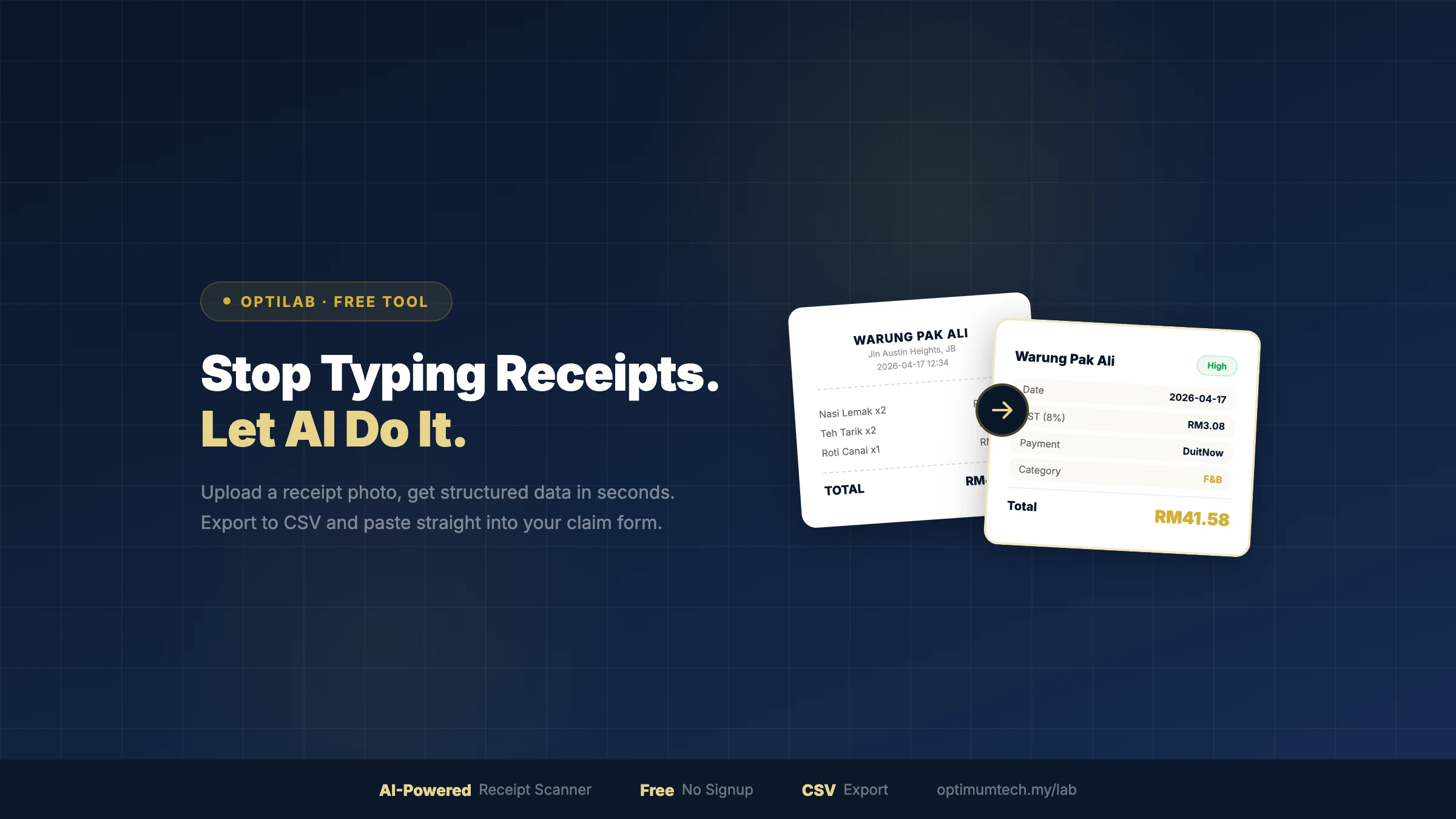
OptiLab Receipt Scanner is a free AI-powered tool that reads your receipts and extracts the data you need for expense claims — in seconds, not minutes.
No signup. No login. No cost. Just upload and go. See the three-step flow below.
Why We Built This
At Optimum Technology, we build custom software for Malaysian businesses. We've seen firsthand how much time companies waste on manual data entry — not because the task is complex, but because no one has bothered to automate it.
Receipt scanning isn't a hard problem for AI. Modern vision models can read printed text with near-perfect accuracy, understand the structure of a receipt (header, items, totals, footer), and output clean, structured data. The technology exists — it just hasn't been made accessible to everyday users.
So we built it as a free tool. Our goal isn't to charge you for receipt scanning. It's to show you what AI can do for your business — and start a conversation about what else we can automate for you.
What the AI Extracts
The scanner is trained to recognize Malaysian receipt formats. Here's what it pulls out:
- Merchant name — the company or store name
- Company registration number — e.g. 202201034637
- SST registration number — e.g. B16-2307-32000037
- Invoice/receipt number
- Date and time
- Subtotal, SST, service charge, rounding, total
- Payment method — Cash, Visa, GrabPay, Touch 'n Go, DuitNow, FPX
- Category — Food & Beverage, Transport, Shopping, etc.
It handles receipts in English, Malay, and Chinese — the three languages you'll find on most Malaysian receipts.
Built for Claim Season
OptiLab is designed around the four pain points of monthly expense claims: bulk upload (scan 10 receipts at once, not one by one), CSV export in the format finance teams already use, SST and registration number capture (the fields HR actually asks for), and an instant grand total across all uploaded receipts. Every feature is there because we saw it skipped in spreadsheet workflows.
- Bulk upload — scan up to 10 receipts at once, not one by one
- CSV export — the format your finance team already works with
- SST and registration numbers — the fields HR actually asks for, not just the total
- Grand total — see your total claim amount across all receipts instantly
"Built for anyone who's ever lost a receipt before claim deadline."
Privacy and Accuracy
Your receipts are never stored. Images are processed in real-time by the AI model and immediately discarded. We don't keep copies, build a database, or share your data with anyone.
Accuracy is high for clear, printed receipts — but we always recommend verifying the extracted data before submitting your claim. AI is a tool, not a replacement for your own review.
Try It Now
Next time you're drowning in receipts at month-end, give it a try:
→ OptiLab Receipt Scanner (Free)
No account needed. Works on desktop and mobile. Takes about 5 seconds per receipt.
And if you find yourself thinking "I wish this could also do X..." — tell us. We build custom AI tools for Malaysian businesses, and your idea might be our next project.
Manual entry vs OptiLab Receipt Scanner
| Manual (Excel) | OptiLab Scanner | |
|---|---|---|
| Time per receipt | 30–60 seconds | ≈ 5 seconds |
| Time for 50 receipts/month | ≈ 40 minutes | ≈ 4 minutes |
| Error rate | High (typos, missed SST) | Low (AI-verified) |
| SST + reg number captured | Often skipped | Always extracted |
| Cost | Hidden (your time) | Free |
| Scales with team size? | No — gets worse | Yes — batch upload |
How to scan a receipt with OptiLab
- Upload or snap a photoDrag in an image or take a photo on your phone. Up to 10 receipts at once.
- AI extracts the dataMerchant name, company registration number, SST number, date, total, payment method, and category — in seconds.
- Export to CSVOne click to download. Paste straight into your company's claim form or spreadsheet.
Try it now — your first receipt in 5 seconds
No signup. No account. Just upload and download the CSV.
Open OptiLab Receipt ScannerWe've spent 9 years building custom software for Malaysian businesses — from cafés in Mount Austin to listed property developers. Receipt entry is one of dozens of workflows we've seen waste tens of thousands of hours a year.