Malaysia businesses preparing for e-Invoice often start with the same question:
“Do I need to buy new e-Invoice software?”
Not necessarily.
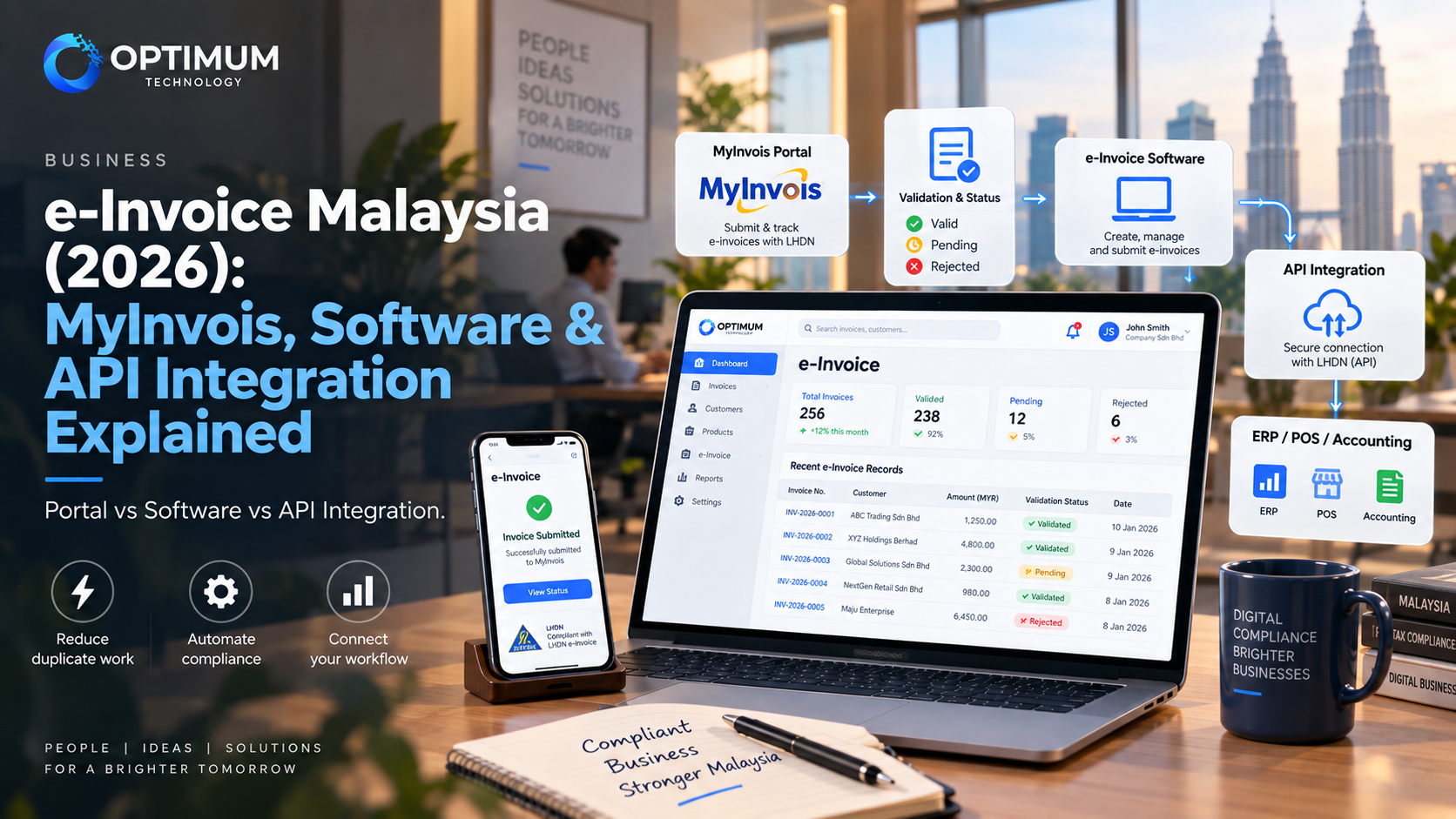
Malaysia's MyInvois ecosystem gives businesses more than one way to issue and manage e-Invoices. A smaller business may be comfortable using the free MyInvois Portal, while another company may already have an ERP, accounting system, POS or custom internal system that can be connected directly to MyInvois.
The real decision is therefore not simply:
“Which e-Invoice software should we buy?”
It is:
“Where does our invoice data already live, and what is the least complicated way to send it to MyInvois?”
MyInvois Portal vs e-Invoice Software vs API Integration
| Option | Usually Makes Sense When | Main Trade-Off |
|---|---|---|
| MyInvois Portal / App | Invoice volume is manageable and the business does not already rely on a complex system | More manual entry and checking as transaction volume grows |
| e-Invoice Software | The business wants a ready-made tool for invoicing, accounting or compliance workflows | The business may need to adapt its workflow to the software |
| API Integration | Invoices already come from ERP, POS, accounting or an internal system | Requires proper development, testing and ongoing maintenance |
1. What Does e-Invoice Actually Change for a Malaysian Business?
An e-Invoice is not simply a PDF invoice sent by email.
Under Malaysia's e-Invoice model, invoice information is submitted to MyInvois so that the transaction can be validated and recorded through the tax authority's system.
The process affects Business-to-Business, Business-to-Consumer and Business-to-Government transactions, although the exact workflow can differ depending on the transaction and applicable e-Invoice rules.
The latest implementation timeline published by HASiL was updated on 30 August 2026. Businesses should therefore avoid relying on an old screenshot or article from 2024 or 2025 when deciding whether they are required to implement e-Invoice.
The important operational question is what happens before information reaches MyInvois.
For example, a business may currently create invoices from:
- an accounting system,
- a POS system,
- an ERP,
- an eCommerce platform,
- Excel,
- or a custom internal system.
If the invoice already exists digitally in another system, asking staff to type the same information again into MyInvois can create duplicate work.
This is where software selection and API integration start to matter.
2. When Is the Free MyInvois Portal Enough?
HASiL provides the MyInvois Portal as a free mechanism for taxpayers to submit and manage e-Invoices.
For a small business with a manageable number of transactions, this may already be enough.
You may not need a custom integration when:
- invoice volume is relatively low,
- staff can manage submissions without creating significant duplicate work,
- there is no complex ERP or POS workflow to connect,
- and the business does not need automatic synchronisation between multiple systems.
This is important because technology decisions should follow the business problem.
A business should not spend money building an API connection simply because API integration sounds more advanced.
If the Portal already solves the problem efficiently, using it may be the simpler option.
The same principle applies to many business systems. As we discussed in our guide on custom software versus SaaS, custom development makes sense when the workflow actually requires it — not simply because custom software is possible.
3. When Does e-Invoice Software Make More Sense?
The middle option is ready-made e-Invoice, accounting or ERP software that already supports Malaysia's e-Invoice requirements.
This can work well when the business wants more than the MyInvois Portal but does not need to build its own integration layer.
Before changing software, however, the business should check what it already has.
Ask the current accounting, ERP or POS provider:
- Does the current version already support MyInvois?
- Is e-Invoice included or charged separately?
- Does it submit directly to MyInvois?
- Can staff track rejected or cancelled documents?
- How are customer TIN and invoice details validated?
- What happens if MyInvois is temporarily unavailable?
- Can the business export its invoice and transaction data?
Switching to a new system purely for e-Invoice may create another problem if the business already depends on existing inventory, sales, customer or reporting workflows.
The cheapest e-Invoice solution is not always the cheapest operationally if staff end up maintaining the same information in two systems.
Already using an ERP, POS or internal system?
Before replacing it, check whether the existing workflow can be connected to MyInvois. In some cases, integration is more practical than introducing another standalone system.
Explore Custom System Integration → MyInvois · API Integration · ERP · POS · Custom Systems4. What Does MyInvois API Integration Actually Do?
MyInvois provides APIs that allow taxpayer systems such as ERP or integration modules to communicate directly with the MyInvois platform.
In practical terms, an integrated workflow may look like this:
Sale Created → Invoice Generated → Data Validated → Sent to MyInvois → Result Returned → Status Updated in Internal System
The official MyInvois API documentation includes functions for operations such as:
- validating a taxpayer's TIN,
- submitting e-Invoice documents,
- checking submission results,
- retrieving documents,
- searching documents,
- rejecting documents,
- and cancelling documents.
Document submission can be handled using supported structured formats such as JSON or XML according to the MyInvois document specification.
This means API integration is not simply a button that says:
“Send to LHDN.”
The integration layer still needs to map the business's invoice data into the structure MyInvois expects, handle authentication, validation results and errors, and update the original business system correctly.
5. When Is API Integration Worth Considering?
API integration becomes more valuable when manual re-entry creates a real operational problem.
Common examples include businesses with:
- high invoice volume,
- multiple outlets or departments,
- ERP-generated invoices,
- POS transactions,
- eCommerce orders,
- custom billing logic,
- B2B customer records,
- or existing internal approval workflows.
Imagine an ERP already knows:
- which customer bought the product,
- the customer's TIN,
- the item and quantity,
- tax information,
- invoice number,
- and payment details.
If staff then copy all of that information manually into another portal, the business now has two places where the same data must remain correct.
Automation can reduce that duplicate work, but only if the original data is clean and the integration is designed properly.
If the business is already struggling with spreadsheets, disconnected systems or duplicated data entry beyond e-Invoice, our guide on signs a business has outgrown Excel explains the wider system problem.
6. The Hard Part Is Not Calling the API — It Is Handling What Happens Around It
A working integration needs to handle more than successful submissions.
Real operations also include:
- invalid TIN or customer information,
- missing mandatory fields,
- rejected submissions,
- cancelled invoices,
- duplicate requests,
- network interruptions,
- MyInvois service errors,
- and changes to SDK or validation requirements.
This is why testing should cover failure scenarios, not only the happy path.
| Area | Question | Why It Matters |
|---|---|---|
| Data Mapping | Does the existing system store all required invoice fields? | Missing or incorrectly mapped fields can cause validation failures |
| TIN Validation | Can customer information be checked before submission? | Reduces avoidable submission errors |
| Submission Status | Can staff see whether an invoice is valid, rejected or pending? | Prevents the internal system from showing the wrong status |
| Error Handling | What happens when MyInvois or the internet is unavailable? | Transactions should not disappear simply because one API request failed |
| Audit Trail | Can the business trace what was submitted and when? | Useful for troubleshooting and operational control |
| Updates | Who maintains the integration when specifications change? | API and validation requirements can continue to evolve |
This last point is easy to underestimate.
MyInvois publishes an SDK and release notes, and the technical specification continues to receive updates. An API integration should therefore be treated as a maintained business connection rather than one piece of code that is never reviewed again.
7. Which Option Should Your Business Choose?
A practical decision can start with three questions.
First: How many invoices are you actually managing?
If the number is small and the Portal is manageable, manual submission may be sufficient.
Second: Where is the invoice data already stored?
If staff already create every invoice inside an ERP, POS, accounting system or internal platform, retyping the same information elsewhere may be unnecessary.
Third: Is e-Invoice the only system problem?
Sometimes a company starts looking for e-Invoice integration and discovers a larger issue:
Sales uses one spreadsheet, finance uses another, stock is tracked somewhere else, and customer data is duplicated across three systems.
In that situation, the real project may not be “add an e-Invoice API”.
It may be to redesign how business data moves between systems.
If that is the case, it is worth deciding whether to use an existing SaaS product, integrate current software or build a custom workflow before paying for development. Our guide to choosing a software company in Malaysia covers the questions businesses should ask before starting that type of project.
The Bottom Line
Malaysia e-Invoice does not automatically mean every company needs a new software subscription or custom system.
The right setup depends on the business.
Low Volume → MyInvois Portal may be enough
Standard Workflow → Ready-made e-Invoice / accounting software may be enough
Existing ERP, POS or Internal System → API integration may reduce duplicate work
The goal should not be to add more software.
The goal is to create one reliable flow where invoice information is captured correctly, submitted to MyInvois and reflected back into the system your team already uses.
Need to connect an existing system to MyInvois?
Optimum Technology develops custom business systems and integrations around existing workflows, including connections between internal platforms, ERP, POS and external APIs.
Explore Custom System Development → Custom Systems · API Integration · Business Workflows · Malaysiae-Invoice implementation dates, exemption criteria, validation rules and MyInvois technical specifications may change. Businesses should always confirm the latest requirements from HASiL and obtain professional tax advice where necessary before making compliance decisions.