Your Sales team has one spreadsheet.
Warehouse has another.
Finance waits for someone to send the latest numbers, Management builds reports manually, and the same customer or stock information gets entered into several systems.
This is usually the point when someone says:
“Maybe we need an ERP.”
But buying an ERP system does not automatically solve disconnected operations.
A ready-made ERP can work extremely well when your processes follow common business workflows. It can also become expensive and frustrating when staff spend more time adapting the business to the software than the software saves them.
At the other extreme, building a completely custom ERP when an existing product already solves 90% of the problem can waste time and budget.
So the better question for a Malaysian business is:
“Should we configure an existing ERP around our business — or build a system around the workflow we already have?”
3 Ways Malaysian Businesses Usually Approach ERP
| Approach | Usually Makes Sense When | Main Trade-off |
|---|---|---|
| Ready-made ERP | Your workflow follows common sales, inventory, purchasing and accounting processes | Fastest route, but the business may need to adapt to the software |
| Configured / Extended ERP | Standard ERP mostly fits but needs integrations, reports or selected custom modules | Balanced approach, but customisation increases implementation scope |
| Custom ERP / Business System | Your operation has unusual workflows, rules or integrations | Maximum fit and ownership, but higher development responsibility |
1. What Does an ERP System Actually Do?
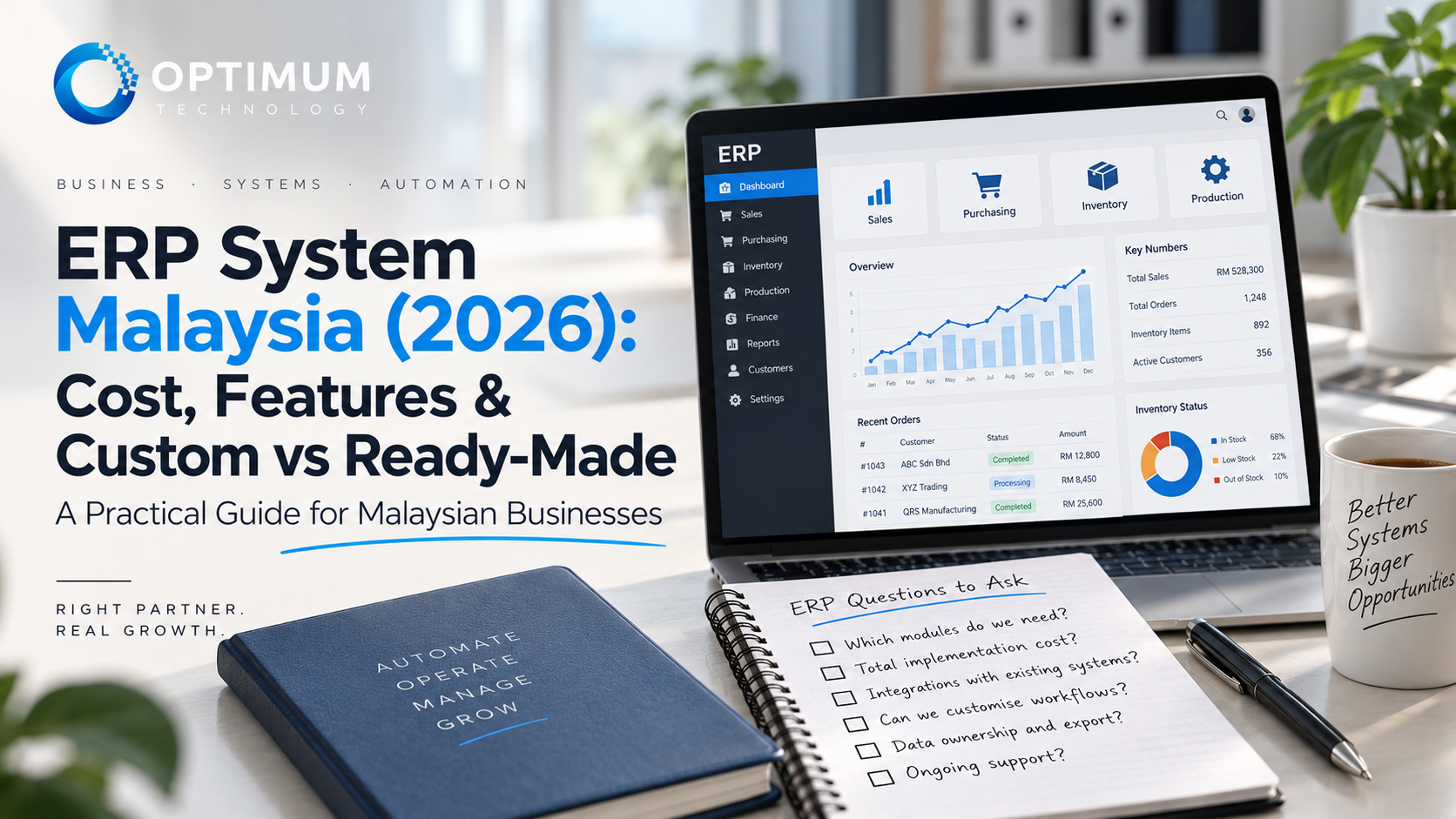
ERP stands for Enterprise Resource Planning.
In practical terms, an ERP system connects the information different departments need to run the same business.
A system may include modules such as:
- Sales and quotations
- Purchase orders
- Inventory and warehouse
- Finance and accounting
- Production or manufacturing
- Customer records
- Approvals
- HR or staff administration
- Dashboards and reporting
The important part is not having every module possible.
It is creating one reliable flow of information.
For example:
Sales Order → Stock Check → Purchase / Production → Delivery → Invoice → Payment → Management Report
If each step currently lives in a different spreadsheet, WhatsApp chat or standalone system, staff spend time moving information instead of using it.
If this sounds familiar, our guide on 7 signs your business has outgrown Excel explains the problem before the ERP decision begins.
2. How Much Does an ERP System Cost in Malaysia?
There is no single useful ERP price because “ERP” can describe anything from a configured cloud product for a small team to a multi-company platform covering inventory, manufacturing, finance and approval workflows.
Public Malaysian ERP pricing references show a wide range:
| Project Level | Indicative Market Range | What Usually Changes the Cost |
|---|---|---|
| Entry / Cloud ERP Setup | From around RM20,000+ | Configuration, users, basic migration and standard modules |
| SME Modular ERP | Roughly RM25,000–RM80,000 | Multiple modules, workflow configuration, reporting and integrations |
| Larger Multi-module / Enterprise ERP | Roughly RM100,000–RM250,000+ | Multi-company operations, manufacturing, legacy migration, complex integrations and custom rules |
These are broad Malaysian market references reviewed in October 2026, not Optimum Technology quotations. KDS publishes entry-level cloud ERP setup from around RM20,000, while DrigTech's 2026 guide places SME modular ERP projects at roughly RM25,000–RM80,000 and larger enterprise implementations at RM100,000–RM250,000+. Actual cost depends on scope.
Ready-made ERP also needs to be compared carefully because the visible subscription price is not always the final implementation cost.
A cloud ERP may charge per user every month, while configuration, data migration, training, implementation consulting, integrations and custom development are separate.
Odoo, for example, publishes subscription plans for its ERP platform but states that implementation services and maintenance of custom code are not included in the standard plans.
So when two ERP quotations look very different, first check whether they actually include the same work.
3. What Actually Makes an ERP Expensive?
The number of screens is rarely the best way to estimate ERP cost.
The difficult work is usually underneath them.
Modules. Sales + inventory is a smaller project than sales + purchasing + warehouse + production + finance + HR.
Users and permissions. A business may need different access for Sales, Warehouse, Finance, Management, suppliers or customers.
Data migration. Existing customers, suppliers, SKUs, stock balances, outstanding invoices and historical records may need to be cleaned and moved.
Integrations. ERP may need to connect with accounting software, eCommerce, payment gateways, logistics, CRM, machines or existing internal platforms.
Workflow rules. Approval limits, commission calculations, branch rules and exceptions can add much more complexity than a standard screen.
Reporting. Management may need dashboards that combine information from several modules instead of exporting everything back to Excel.
Training and change management. A technically correct system can still fail if staff do not understand how the new process works.
Post-launch support. ERP becomes part of daily operations, so bugs, updates and future workflow changes need a clear owner.
Malaysian businesses should also consider e-Invoice requirements when invoice data is produced inside the ERP. MyInvois provides APIs that allow taxpayer ERP systems to authenticate, submit documents, validate information and retrieve e-Invoice records.
We cover that separately in our Malaysia e-Invoice and MyInvois integration guide.
4. When Ready-made ERP Is the Better Choice
Custom development is not automatically the better answer.
Ready-made ERP usually wins when the business follows standard processes that thousands of other companies already use.
Examples include:
- Standard sales orders
- Normal purchasing workflows
- Common inventory tracking
- Basic CRM
- Standard accounting processes
- Regular employee administration
A mature ERP product has already solved many of these problems and has been tested across many customers.
That means the business can often launch faster, receive regular software updates and avoid maintaining every module itself.
Ready-made ERP is particularly attractive when:
- the current workflow can reasonably adapt to the product,
- the required integrations already exist,
- the business wants to implement quickly,
- the number of users fits the licensing model,
- and the provider already supports the required functions.
If an existing product solves the problem properly, there is little value in rebuilding common functionality from zero.
The same principle applies more broadly to custom software vs SaaS: the technology should follow the business problem, not the other way around.
5. When Custom ERP Starts to Make Sense
Custom development becomes more interesting when the business repeatedly has to work around the ERP.
Common warning signs include:
- Staff export ERP data back into Excel to finish the real work
- The same information is entered into several systems
- Approval rules cannot be configured properly
- Standard reports do not reflect how Management runs the business
- Different branches follow different operating rules
- Legacy systems need deep integration
- Production or fulfilment follows a unique workflow
- Too many plugins or workarounds are needed to make the ERP usable
This does not always mean replacing everything.
Sometimes the better answer is to keep mature software for standard functions and build the missing operational layer around it.
For example, a business may keep its existing accounting system but build a custom operations platform for quotations, approvals, inventory movement, production tracking and management dashboards.
The systems can then exchange the information they need through integrations.
This hybrid approach can be more practical than rebuilding accounting, payroll or another mature standard function simply because the rest of the workflow is custom.
Does your business keep adapting itself to the ERP?
If staff still rely on spreadsheets, duplicate data entry or manual approvals after implementing software, the problem may be the workflow — not the lack of another module.
Explore Customize System → ERP · Workflow Automation · Integrations · Dashboards · Malaysia6. You Do Not Need to Build the Entire ERP at Once
One of the easiest ways to make an ERP project expensive is to define Phase 1 as:
“Replace everything.”
A better approach is often to identify the most painful workflow and start there.
For example:
- Phase 1: Sales + Approval
- Phase 2: Inventory + Purchasing
- Phase 3: Production / Fulfilment
- Phase 4: Management Dashboard + Integrations
This gives the business a chance to validate the process before committing to every possible module.
It also makes data migration, staff training and change management easier to control.
The goal is not to launch the biggest ERP possible.
It is to replace the highest-cost manual work with a system people actually use.
7. Questions to Ask Before Choosing an ERP
| Question | Why It Matters | Good Sign |
|---|---|---|
| Which workflow are we fixing first? | Prevents the project from becoming an unlimited wish list | There is a clear Phase 1 business problem |
| Which modules do we genuinely need? | Every module adds implementation and training | Scope follows the actual operation |
| What must integrate? | Existing accounting, eCommerce or legacy systems may remain | Integration requirements are known before implementation |
| Who owns our data? | ERP becomes a core business database | There is a clear export and migration path |
| What is included in implementation? | Licence price may exclude configuration, migration and training | Quotation separates each part of the scope clearly |
| Who maintains custom work? | Business processes continue changing after launch | Ongoing support responsibility is defined |
Where Optimum Technology Fits
Optimum Technology does not approach every ERP enquiry by recommending that the business build everything from scratch.
Ready-made software is usually the faster answer when it already fits the workflow.
Our Customize System work becomes more relevant when the business has processes that standard software repeatedly fails to support — especially where several departments, integrations, approval rules or operational dashboards need to work together.
Projects can be developed as a complete internal platform or introduced module by module around systems the business already uses.
That may include workflows such as:
- Sales and quotation management
- Purchase and approval workflows
- Inventory and warehouse movement
- Operations and task management
- Production tracking
- Customer or supplier portals
- Management dashboards
- API and legacy-system integrations
Optimum's development is handled by its Malaysian in-house team, and clients own the custom source code delivered for their project.
The objective is not to make the business buy a larger system.
It is to decide what should remain ready-made, what should integrate, and what genuinely needs to be custom.
The Bottom Line
ERP should reduce fragmentation.
If implementing ERP simply moves the business from five spreadsheets into five disconnected software modules, the underlying problem has not really been solved.
Start with:
Workflow → Pain Points → Modules → Integration → ERP Approach → Cost
Not:
Longest Feature List → Biggest ERP Brand → Hope the Business Fits
Choose ready-made ERP when the business follows common processes and speed matters.
Configure or extend an existing ERP when most of the system fits but several gaps remain.
Consider custom ERP or a custom operations platform when the workflow itself is what makes the business different.
Not sure whether to configure or customise?
Tell us what your team is doing today, which systems you already use and where the workflow keeps breaking. We can help determine whether ready-made ERP, integration or custom development is the more sensible direction.
Explore Customize System → Malaysian In-house Team · Source Code Ownership · Workflow First · Ongoing SupportERP costs vary significantly according to modules, users, migration, integrations, hosting, implementation and custom development. The cost ranges in this article are broad Malaysian market references reviewed in October 2026 rather than Optimum Technology quotations. A proper estimate requires a defined workflow and scope.